Case Study:
Data table component library
Replacing one-off table implementations with a reusable, interaction-rich component system
Problems
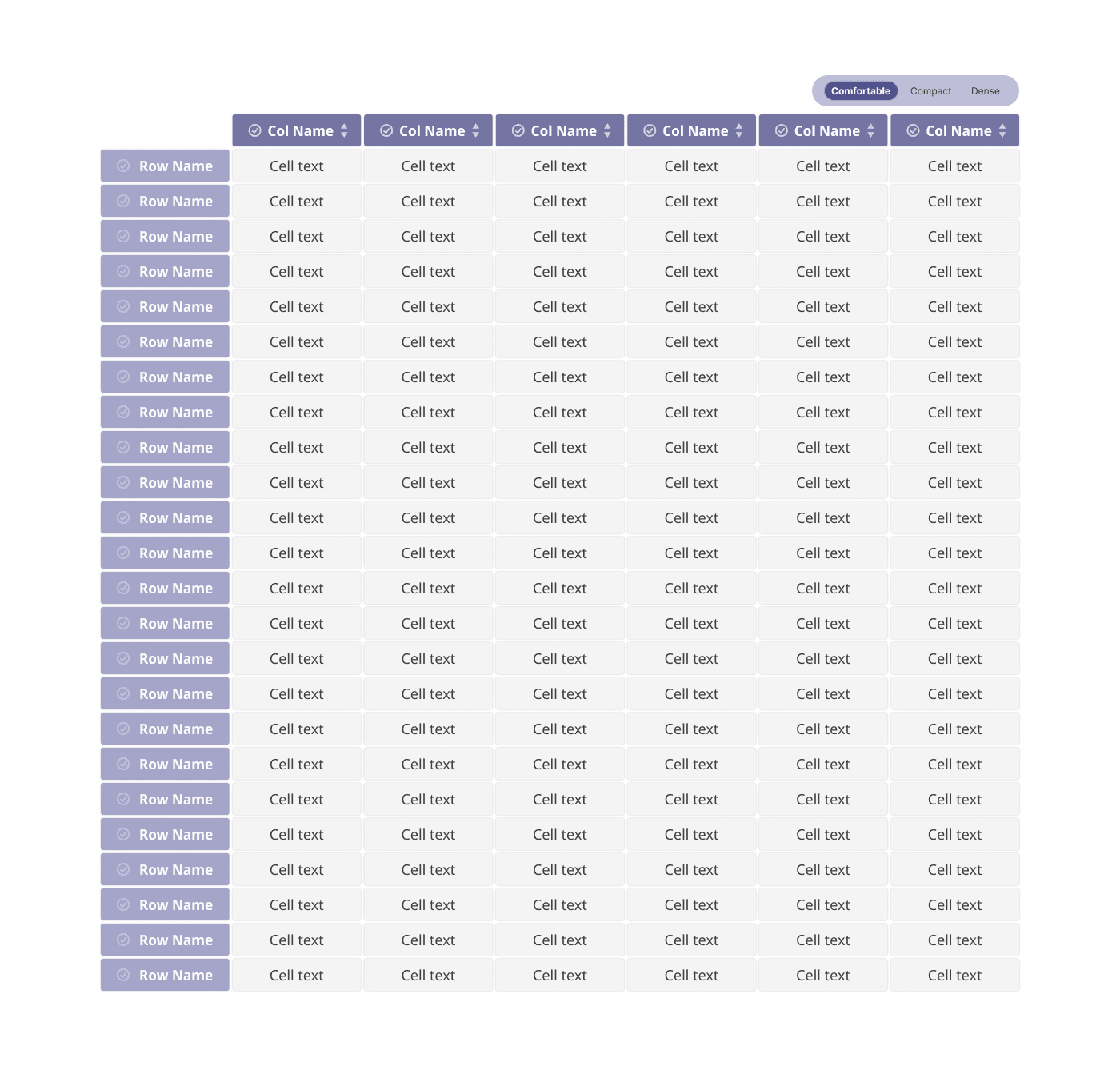
Most table implementations are built as one-off solutions, forcing teams to recreate basic functionality repeatedly. The tables I encountered were static — users could view data but couldn't interact meaningfully with it. Essential features like multi-cell selection for comparison, column highlighting to focus on specific metrics, or density adjustments for different monitor sizes required custom development each time instead of being standardized system components.
This created three core issues: inconsistent user experiences across products, wasted design and development time rebuilding the same patterns, and accessibility gaps because interaction states weren't systematically designed.
Decision
I built a comprehensive data table component system with three strategic focuses:
Flexible density system Created three density variants (comfortable, compact, dense) to serve different use cases rather than forcing a single default. Power users analyzing datasets need maximum visible rows, while content-focused tasks require breathing room. This prevents teams from requesting custom variants for legitimate spacing needs.
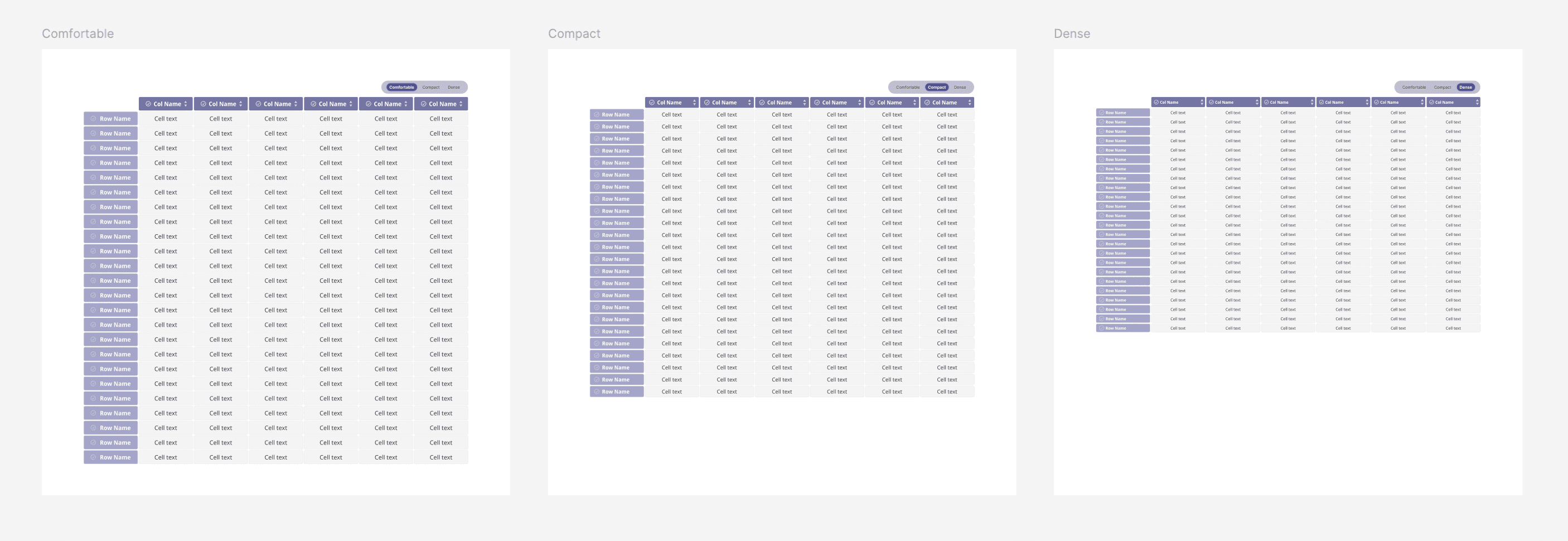
Interactive selection patterns Designed systematic selection states for individual cells, entire rows, and entire columns. This supports comparison workflows and data analysis tasks that standard static tables can't handle. Each selection state has clear visual hierarchy using semantic color tokens.
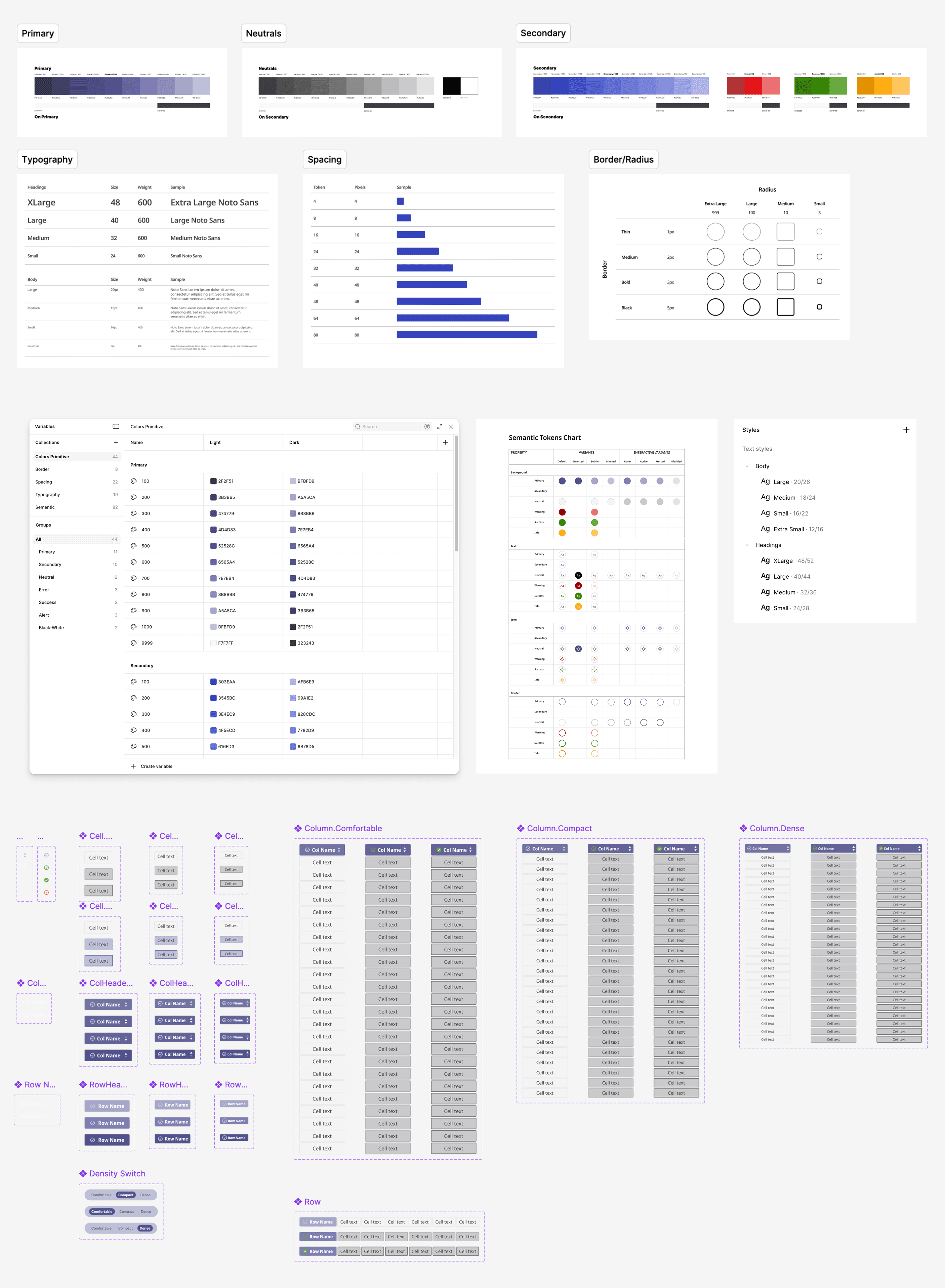
Semantic theming foundation Established color tokens designed for both light and dark modes from the start. Each color serves a clear purpose (selection, hover, focus, borders) and maintains WCAG accessibility standards across themes. This prevents the common problem of retrofitting dark mode later and discovering contrast issues.
The component architecture uses an 8-point spacing system and proper design tokens, making it developer-friendly for handoff and ensuring consistency as the system scales.
Impact
Design efficiency: Teams can implement functional tables in hours instead of days by using pre-built variants rather than designing from scratch each time.
Consistent interactions: Standardized selection and sorting patterns create predictable user experiences across all products using the system.
Future-ready architecture: Semantic token structure allows the system to expand (adding filtering UI, pagination patterns, or accessibility enhancements) without rebuilding the foundation.
The system prioritizes reusability and governance — establishing clear patterns for when to use existing variants versus when new functionality requires system-level discussion rather than one-off customization.
Case Study:
Data table component library
Replacing one-off table implementations with a reusable, interaction-rich component system
Problems
Most table implementations are built as one-off solutions, forcing teams to recreate basic functionality repeatedly. The tables I encountered were static — users could view data but couldn't interact meaningfully with it. Essential features like multi-cell selection for comparison, column highlighting to focus on specific metrics, or density adjustments for different monitor sizes required custom development each time instead of being standardized system components.
This created three core issues: inconsistent user experiences across products, wasted design and development time rebuilding the same patterns, and accessibility gaps because interaction states weren't systematically designed.
Decision
I built a comprehensive data table component system with three strategic focuses:
Flexible density system Created three density variants (comfortable, compact, dense) to serve different use cases rather than forcing a single default. Power users analyzing datasets need maximum visible rows, while content-focused tasks require breathing room. This prevents teams from requesting custom variants for legitimate spacing needs.
Interactive selection patterns Designed systematic selection states for individual cells, entire rows, and entire columns. This supports comparison workflows and data analysis tasks that standard static tables can't handle. Each selection state has clear visual hierarchy using semantic color tokens.
Semantic theming foundation Established color tokens designed for both light and dark modes from the start. Each color serves a clear purpose (selection, hover, focus, borders) and maintains WCAG accessibility standards across themes. This prevents the common problem of retrofitting dark mode later and discovering contrast issues.
The component architecture uses an 8-point spacing system and proper design tokens, making it developer-friendly for handoff and ensuring consistency as the system scales.
Impact
Design efficiency: Teams can implement functional tables in hours instead of days by using pre-built variants rather than designing from scratch each time.
Consistent interactions: Standardized selection and sorting patterns create predictable user experiences across all products using the system.
Future-ready architecture: Semantic token structure allows the system to expand (adding filtering UI, pagination patterns, or accessibility enhancements) without rebuilding the foundation.
The system prioritizes reusability and governance — establishing clear patterns for when to use existing variants versus when new functionality requires system-level discussion rather than one-off customization.